
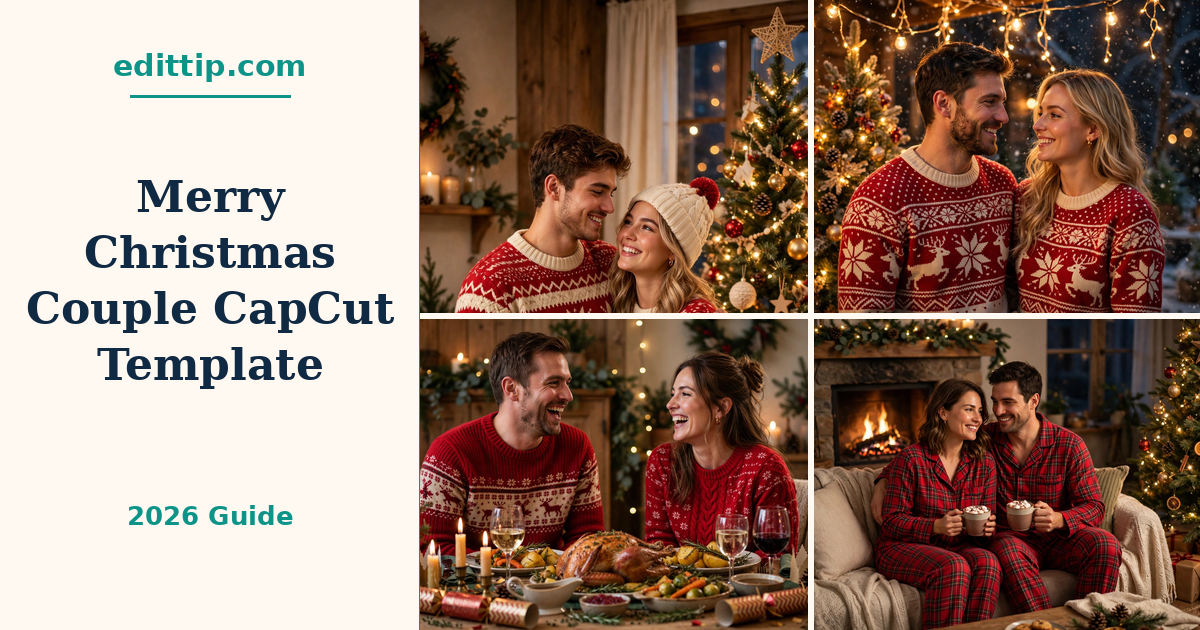
Some Christmas photos deserve more than a single post. A photo of the two of you by the tree, one from a walk past the lights, a laughing candid from Christmas dinner — put together, they tell a small story, and a short reel tells it better than a grid post ever could.
The Merry Christmas Couple CapCut template does the editing part for you. You add your own photos or short clips, and the template sets the timing, the transitions and the music. You do not need to learn editing, and you do not need to spend an evening cutting clips by hand. This is how to find the Merry Christmas Couple CapCut template, use it, and make a reel that actually looks like the two of you, not like everyone else’s.
What Is the Merry Christmas Couple CapCut Template?
A CapCut template is a ready-made edit. Somebody has already chosen the timing of each photo, the way one photo moves into the next, and the music underneath. You replace their photos with yours, and the structure stays the same.
The Merry Christmas Couple CapCut template is CapCut’s own Christmas template for couples. It is listed on CapCut’s website as “Merry Christmas”, with the description “Merry Christmas couple”, and it was published on 25 December 2025. The result is a short, vertical, festive reel built around couple photos — the kind of video people post as a Christmas greeting, or as a small memory reel for Instagram and TikTok.
It is worth knowing what the Merry Christmas Couple CapCut template does not do. It does not take your photos for you, and it does not improve a blurry photo. The quality of the reel depends on the photos you put into it, which is why choosing them well matters more than anything else in this article.
What Photos Work Best in This Template
Start with the photos before you open the Merry Christmas Couple CapCut template. A good set makes the edit look polished; a rushed set makes even a good template look flat.
Choose photos where both faces are clear and well lit. Close-ups work well in the middle of the reel, when the viewer is already watching, while wider shots of the two of you together work well at the start and the end. Mix the two. Five or six photos that look different from each other — by the tree, outside in the lights, one candid, one posed — will hold attention better than ten photos taken in the same spot.
How to Make the Reel Your Own
Portrait-shaped photos fit a vertical reel best. If a photo is landscape, CapCut will crop it, and you may lose part of the scene or one person’s shoulder, so check the preview carefully before you export.
Avoid dark, blurry, or heavily compressed photos. A photo saved and re-sent through several messaging apps often loses quality, so use the original file from your camera roll where you can.
If you do not have a Christmas photo of the two of you yet, you can make one first. These 15 AI Christmas Couple Photo Prompts are written for ChatGPT and Gemini, and a finished image from one of them drops straight into the Merry Christmas Couple CapCut template.
How to Use the Merry Christmas Couple CapCut Template
The whole process takes a few minutes once your photos are ready.
- Update CapCut first. Open your app store and check that CapCut is on its latest version. The Merry Christmas Couple CapCut template sometimes fails to load on older versions, and updating first avoids that problem.
- Open the Templates tab. In the CapCut app, tap Templates at the bottom of the screen. This is where CapCut keeps its template library.
- Search for the Merry Christmas Couple CapCut template by name. Type “Merry Christmas Couple” into the search bar. If that exact name brings up nothing, try “Merry Christmas” and look through the results. You can also find it on the template’s page on CapCut’s website (https://www.capcut.com/template-detail/Merry-Christmas/7587586474170797317) and open it from there. Template availability can vary by region and by account, so if it does not appear for you, try again later or search the shorter phrase.
- Preview it before you commit. Tap the Merry Christmas Couple CapCut template to watch its preview. This shows you the order of the photos, the transitions and the music, so you know what your version will look like.
- Tap “Use template” and add your photos. CapCut will show you the photo slots in order. Add your photos in the order you want them to appear, then tap Preview to watch your version.
- Adjust what the Merry Christmas Couple CapCut template lets you adjust. Some templates let you change the text on screen or the timing of a photo; others keep everything fixed. Change only what CapCut offers you on that screen, and keep the rest as it is.
- Export and share. When you are happy with the preview, export the video and save it to your phone. From there you can post it as an Instagram Reel or a TikTok, or send it to family first.

How to Make the Reel Your Own
The Merry Christmas Couple CapCut template gives everyone the same structure, so the difference between a forgettable reel and a good one is the choices you make inside it.
Order your photos like a small story. Start with a wide shot that sets the scene, put the closest and warmest photos in the middle, and end on the photo you like most. People remember the last thing they see.
Keep it short. A Christmas reel does not need to include every photo from December. Pick the best ones and leave the rest out; a reel that ends while the viewer is still enjoying it is better than one that drags on.
If the Merry Christmas Couple CapCut template lets you add text, keep it to a few words — your names, a date, or a short greeting. Long captions over a moving photo are hard to read and rarely add anything.
Music is part of the template, and in many templates the track is fixed. If CapCut gives you the option to change it, choose a Christmas song that fits the mood of your photos — gentle for quiet, warm photos, livelier for laughing ones. If the music is fixed, leave it alone; the template was built around that track.
Finally, pick a good cover frame. Instagram and TikTok both let you choose the still image people see before they press play, and a clear photo of both of you works better than a mid-transition blur.
Tips for a Better Result
Watch your preview with the sound on, from start to finish, before you export. It is the only way to catch a photo that flashes past too quickly or a face that is cropped at the edge.
Check the export quality before you post. Open the saved video on your phone and look at it full screen. If it looks soft or washed out, check the export settings in CapCut and choose the highest quality the app offers you.
Do not add extra effects on top of the Merry Christmas Couple CapCut template. The transitions and overlays are already there, and adding more usually makes the reel look busy rather than better.
If the reel is a gift or a surprise, export a copy and keep it saved before you post anything. It is easier to share a saved video privately than to take a post down afterwards.
Frequently Asked Questions
Is the Merry Christmas Couple CapCut template free?
The Merry Christmas Couple CapCut template is listed in CapCut’s template library, and templates there are normally free to use inside the app. Some effects or export options in CapCut are part of CapCut Pro, so if the app asks you to upgrade for a particular feature, that is a Pro feature, not the template itself.
Can I use my own photos in it?
Yes. That is the whole point of a template. You replace the sample photos with your own, and the timing, transitions and music stay the same.
How many photos do I need?
CapCut shows you the number of photo slots when you open the Merry Christmas Couple CapCut template, so you will see it before you start. Have a small set of your best couple photos ready — around five to ten is a good starting point for a short reel.
Why can’t I find the template in my country?
Template availability can vary by region and by account, and CapCut sometimes shows different templates to different users. Try searching the shorter phrase “Merry Christmas”, check that your app is updated, and try again later. The template is also listed on CapCut’s website, which you can open from a browser.
Can I change the music?
It depends on the template. Some CapCut templates let you swap the music after you add your photos, and some keep the original track. If you see a music option on the editing screen, you can change it; if you do not, the track is fixed.
Can I post the reel on Instagram and TikTok?
Yes. Export the video from CapCut first, then upload the saved file to Instagram as a Reel or to TikTok as a video. The template makes a vertical video, which fits both.
Final Thoughts
A good Christmas reel does not need complicated editing. It needs good photos of two people who are happy to be in them, and a Merry Christmas Couple CapCut template that gets out of the way. The Merry Christmas Couple CapCut template does the second part; the photos are yours. Pick them carefully, preview the result properly, and post it while Christmas is still close enough for people to care.
1 thought on “Merry Christmas Couple CapCut Template: How to Make a Romantic Holiday Reel”