
Trending Dhurandhar Song “FA9LA” Reel – CapCut Template & VN Code Guide
The Dhurandhar movie song “FA9LA” featuring Akshaye Khanna’s iconic Rehman Dakait entry is taking Instagram and TikTok by storm! Its slow-motion cinematic vibe, stylish swag walk, and catchy beat have made it the latest viral trend after hits like “Jamal Kudu.”
If you want to create your own “FA9LA” Reel with the exact cinematic effect, beat-sync, transitions, and effects, you’re in the right place. With CapCut templates and VN codes, you can make your video in just one click — no editing skills required. In this guide, we’ll cover everything step by step so your reel can go viral quickly.
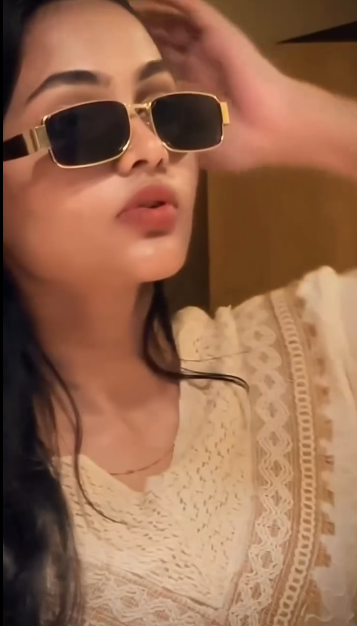
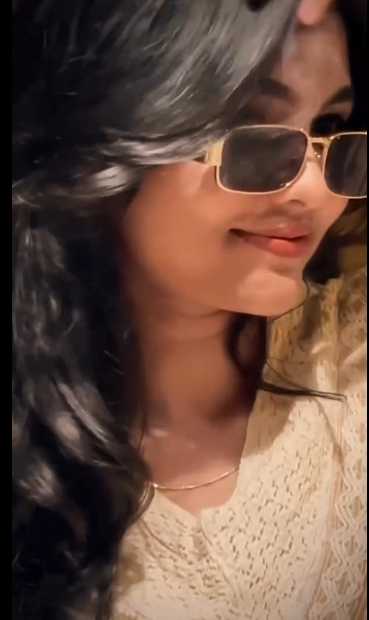
What is a CapCut Template?
CapCut templates are ready-made video editing templates that allow you to produce professional-level reels instantly. You simply:
Add your photos or video clips.
Tap “Use Template.”
Let CapCut automatically apply effects, music, transitions, and slow-motion.
Export in Full HD, without watermark.
Capcut a complete guide to get started
The biggest advantage? No experience needed, and your video quality remains perfect. CapCut templates have become hugely popular for Instagram, TikTok, and YouTube Shorts, especially for trending songs like “FA9LA.”
How to Use the Dhurandhar “FA9LA” CapCut Template
Follow these simple steps to create your own viral reel:
Step 1: Use a VPN
Connect a free VPN and select a server from USA, Singapore, or India.
Templates may not load without a VPN.
Step 2: Open CapCut
Launch CapCut and go to the “Template” tab.
Step 3: Search for the Template
Use keywords like:
“FA9LA”
“Dhurandhar Song”
“Rehman Dakait”
“Akshaye Khanna Entry”
“Slowmo Viral Song”
Pick the template with millions of uses, often featuring slow-mo zooms and beat drops.
Step 4: Apply the Template
Tap “Use Template.”
Add your photos or videos (great for poses or swag walks).
Step 5: Finalize Your Video
Tap Next and wait a few seconds for the video to render.
Export your reel in HD and select “Without Watermark”.
Tip for “No Internet Connection” Error:
Long-press CapCut → App Info → Clear Data → Reconnect VPN → Open again. Works 100%!
Instagram Reels Audio for “FA9LA”
The CapCut template may not include the original viral audio, so for the best result:
Tap the Instagram audio button inside CapCut.
Search for the trending “FA9LA” audio.
Sync your video with the audio to achieve the exact cinematic effect.
What is a VN Code?
A VN Code is a QR code template for the VN Video Editor app. Similar to CapCut templates, VN codes allow you to create a professional reel instantly.
How it works:
Scan the QR code in VN.
Add your photos or video clips.
The app automatically applies effects, transitions, text, and music.
Export your reel in Full HD, ready to post.
VN codes are perfect for users who prefer VN Video Editor over CapCut or want additional styling options.
How to Use the Dhurandhar “FA9LA” VN Code
Step 1: Open VN Video Editor
Install the VN app from Google Play or Apple App Store.
Step 2: Scan the VN Code
Tap the scanner/QR icon on the top right.
Scan the FA9LA VN Code (screenshot the code if needed).
Step 3: Apply the Template
Tap “Use Template” or “Download.”
Select your photos or video clips from your gallery.
Step 4: Generate the Reel
Tap Next and wait a few seconds.
The app will create a professional, cinematic video automatically.
Step 5: Export and Share
Export your reel in HD.
Share directly to Instagram, TikTok, or WhatsApp Status.
Tips for Creating a Viral FA9LA Reel
Even though templates do most of the work, these tips will help your reel stand out:
Use high-quality clips or photos – Clear, well-lit content works best.
Follow the trend – Slow-motion swag walks or cinematic poses replicate Akshaye Khanna’s style.
Add trending audio – Use the latest FA9LA song snippet on Instagram or TikTok.
Keep your video short – 10–15 seconds is ideal for reels and Shorts.
Preview before exporting – Check transitions and timing to ensure smooth playback.
Where to Get the Latest FA9LA Templates
CapCut Template
VN Code

By using these templates, you can create your reel in seconds and keep up with viral trends.
FA9LA CapCut Templates – VN Code Dhurandar Movie Song Latest
Conclusion
The Dhurandhar movie song “FA9LA” is currently one of the hottest trends on Instagram and TikTok. With CapCut templates and VN codes, you can create a viral, cinematic reel in just one click, complete with slow-motion effects, transitions, and beat-sync music.
Follow the steps above, pick the best clips, and export your video in HD. Don’t forget to share it on social media and tag friends — viral trends spread fast!
If you liked this template, explore more trending VN and CapCut templates to stay ahead of viral trends. Happy editing, and may your reels get all the views and likes they deserve!
FAQs
Q1: What is the FA9LA CapCut Template?
A CapCut Template is a pre-made video template that lets you create professional reels instantly. Add your clips, tap “Use Template,” and get a full HD video with effects and music.
Q2: How do I use the Dhurandhar FA9LA VN Code?
Open VN Video Editor, scan the FA9LA VN Code using the scanner, add your videos or images, tap Next, and export your cinematic reel in HD.
Q3: Do I need editing skills to use CapCut or VN templates?
No. Both CapCut templates and VN codes are designed for one-click video creation, making them ideal for beginners.
Q4: Can I use these reels on Instagram and TikTok?
Yes. Both CapCut and VN outputs are fully optimized for Instagram Reels, TikTok, YouTube Shorts, and WhatsApp Status.
Q5: Why is a VPN needed for some CapCut templates?
Some CapCut templates are region-restricted. Using a VPN with servers in USA, Singapore, or India ensures you can access and download all trending templates.
2 thoughts on “Trending Dhurandhar Song “FA9LA” Reel – CapCut Template & VN Code Guide”