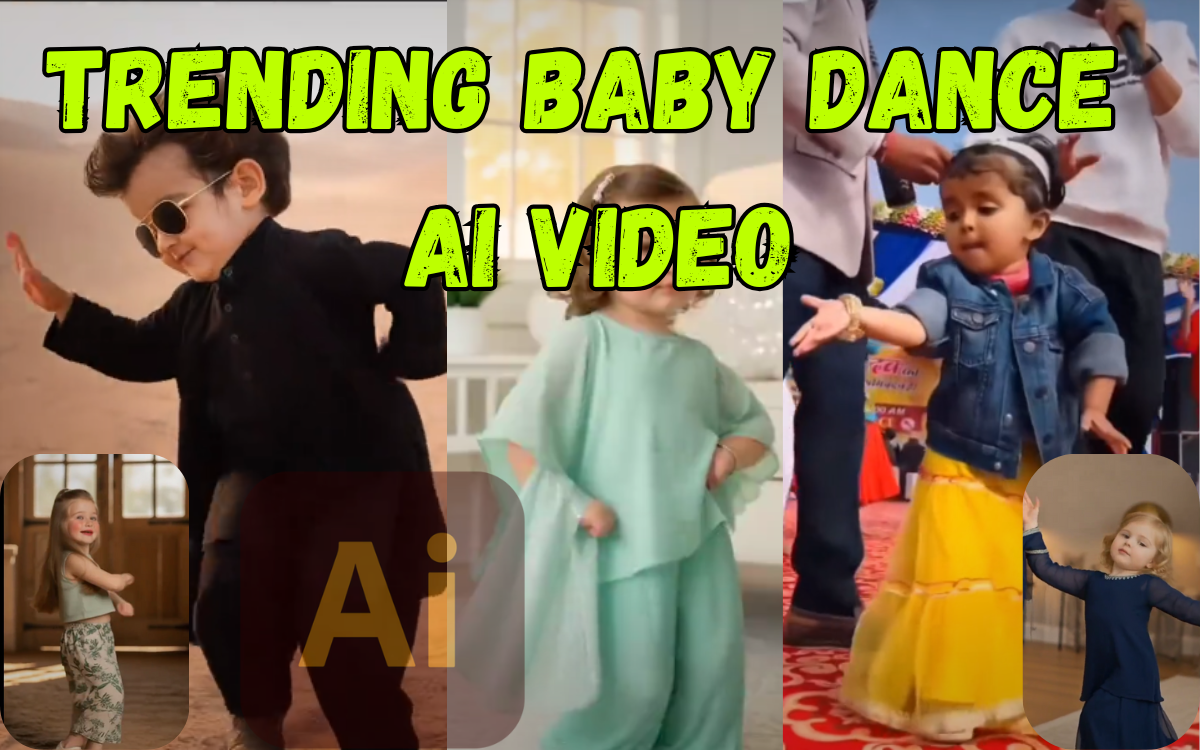
Trending Baby Dance AI Video: Step-by-Step Guide for Beginners
Trending baby dance videos are currently going viral across Instagram Reels, YouTube Shorts, and TikTok in the United States. These cute and fun AI-generated baby dance videos attract millions of views because they combine adorable expressions, smooth dance moves, and face swap technology.
In this beginner-friendly guide, you will learn exactly how to create a trending baby dance AI video step by step, even if you have zero video editing experience. This method uses ready-made baby dance videos, Kling AI, and a simple face swap process that anyone can follow.
What Is a Trending Baby Dance AI Video?
A trending baby dance AI video is a short animated video where:
A baby performs cute or energetic dance moves
AI technology swaps a real person’s face (photo) onto the baby
The final video looks realistic, smooth, and shareable
These videos are popular because they are:
Easy to create
Fun to watch
Highly engaging on social media platforms
You don’t need professional editing skills or expensive software.
What Is AI Video Generation? (Simple Explanation)
AI video generation uses artificial intelligence to:
Convert images into videos
Animate faces
Replace faces in existing videos (face swap)
Instead of manual editing, AI does most of the work automatically. You simply upload a video and a photo, and the AI creates a new video in minutes.
Important Disclaimer (Please Read)
⚠ Disclaimer:
This tutorial is for educational and entertainment purposes only.
Do not misuse AI face swap technology
Do not create harmful, misleading, or offensive content
Only use photos and videos you own or have permission to use
If any user misuses this method, we are not responsible for that usage.
Tools You Need to Create Trending Baby Dance Videos
For this method, you only need two things:
1️⃣ Ready-Made Baby Dance Videos
You will first download baby dance videos from our website
We provide 5 different baby dance videos
You can choose any style you like
👉 These videos are already optimized for AI face swap.
2️⃣ Kling AI (Face Swap Tool)
Website: Kling AI
Used for:
Uploading baby dance video
Uploading your photo
Swapping face using AI
AI video creation uses advanced technology explained by Google AI.
Why Use This Method Instead of Other AI Apps?
This method is better because:
No prompt writing needed
No complex settings
Works for beginners
High-quality results
Fast processing time
Many AI apps fail to produce realistic baby dance videos, but Kling AI gives better face accuracy and smooth motion.
Step-by-Step Guide: How to Make Trending Baby Dance AI Video
Follow these steps carefully.
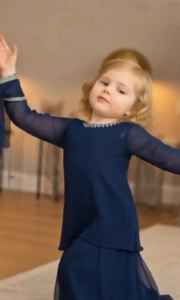
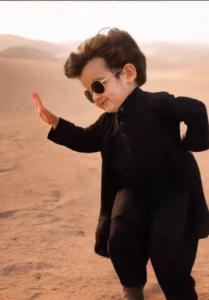
✅ Step 1: Choose a Baby Dance Video
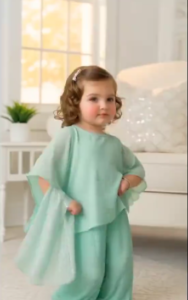
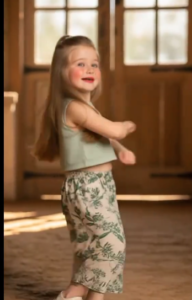
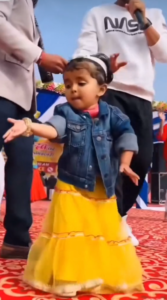
To create a trending baby dance AI video, the first step is selecting the right baby dance video. We have already provided five ready-made baby dance videos that are optimized for AI face swap and work perfectly with Kling AI.
You can preview and download any one video based on the dance style you like.
🎥 Available Baby Dance Videos (Download Any One)
💡 Tip (Very Important)
Choose a baby dance video where:
The baby’s face is clearly visible
No heavy motion blur
The face is not covered by hands or objects
Clear face visibility helps AI generate more accurate and realistic results during face swap.
Step 2: Prepare Your Photo for Face Swap
Before uploading:
Use a clear, front-facing photo
Avoid sunglasses or heavy filters
Good lighting works best
Face should be visible clearly
This improves AI accuracy.
Step 3: Open Kling AI Website
Open your browser
2. Sign in or create a free account
Kling AI works on both mobile and desktop.
Step 4: Upload the Baby Dance Video
Inside Kling AI dashboard
Select Video Face Swap option
Upload the baby dance video you downloaded
Wait for the video to load completely.
Step 5: Upload Your Photo
Click Upload Face Image
Upload your prepared photo
Adjust face alignment if required
The AI will automatically detect facial features.
Step 6: Generate the AI Baby Dance Video
Click Generate or Create
Wait for processing (usually 1–3 minutes)
AI will swap your face onto the baby dance video
Once complete, preview the result.
Step 7: Download the Final Video
Click Download
Save the video to your device
Your trending baby dance video is ready
You can now upload it to:
Instagram Reels
TikTok
YouTube Shorts
Tips to Make Your Baby Dance Video Go Viral
Use these tips for better reach:
Add trending music
Use short captions
Post during peak hours (US time)
Use hashtags like:
#TrendingBabyDance
#AIVideo
#BabyDance
#ReelsTrend
Keep video length under 15 seconds
Is This Method Safe for Beginners?
Yes, this method is:
Beginner-friendly
No editing knowledge required
Mostly automated
Easy to repeat with different videos
You can create multiple baby dance videos using the same steps.
Common Mistakes to Avoid
❌ Using blurry photos
❌ Uploading low-quality videos
❌ Overusing filters
❌ Misusing someone else’s photo
❌ Ignoring disclaimer rules
Avoid these mistakes for better results.
Final Words
Trending baby dance AI videos are one of the easiest ways to create viral content right now. With our ready-made baby dance videos and Kling AI face swap, anyone can generate professional-looking videos in minutes.
If you carefully follow each step and use AI responsibly, you can create engaging baby dance videos without any editing skills.
If you face any issues, feel free to explore our website for more guides and trending templates.
Thank you for reading, and happy creating! 🚀
FAQs
Is Kling AI free?
Yes, Kling AI offers free usage with limited credits.
Can I use this method on mobile?
Yes, Kling AI works on mobile browsers.
Can I make multiple baby dance videos?
Yes, you can repeat the process with different videos.
Is this method legal?
Yes, if you use your own content responsibly.