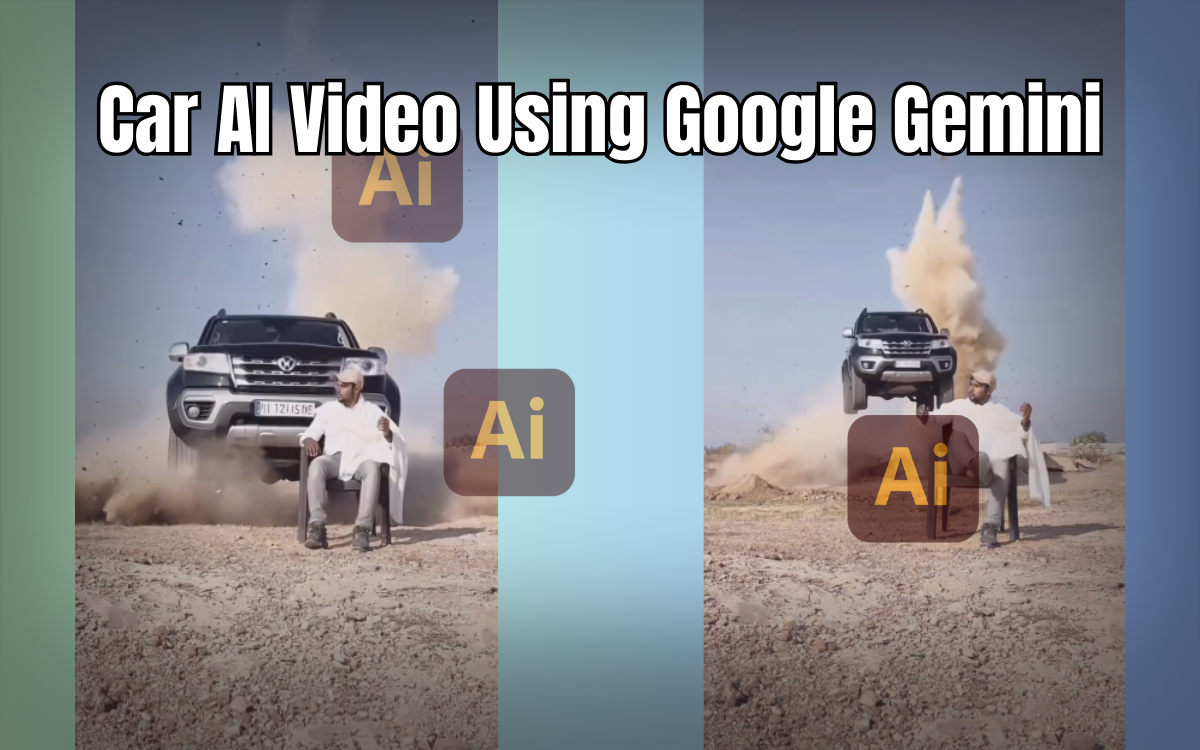
How to Make a Car AI Video Using Prompts (Complete Step-by-Step Guide)
Aaj ke time mein AI technology ne video editing ko bohot zyada easy aur fast bana diya hai. Ab aap sirf ek photo aur sahi AI prompt ki madad se cinematic aur realistic car AI videos bana sakte ho, wo bhi bilkul free.
Is article mein main aapko detail mein bataunga:
Car AI video kaise banate hain
Google Gemini ka use kaise hota hai
Photo ko video mein kaise convert karein
Kaun se AI tools best hain
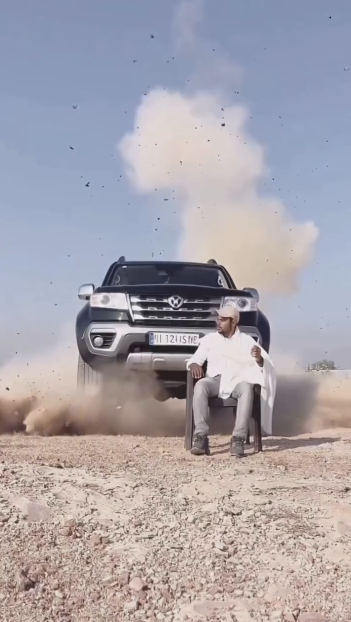
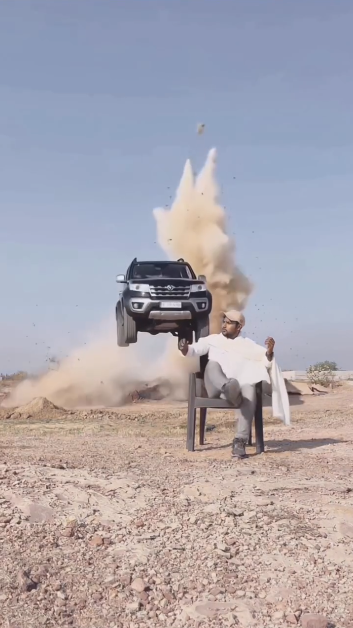
AI Car Videos Kyun Trending Hain?
Aaj Instagram, Facebook aur YouTube Shorts par AI car videos bohot viral ho rahe hain. Log is tarah ke videos pasand karte hain kyunki:
Videos realistic lagti hain
Cinematic effects hotay hain
Editing professional hoti hai
Banane mein zyada time nahi lagta
Chahe aap beginner ho ya professional editor, AI tools aapko high-quality output dene mein madad karte hain.
Google Gemini Kya Hai? (Important Section)
Google Gemini Google ka ek advanced AI tool hai jo images aur text ko intelligently process karta hai. Is tool ka use karke aap:
Apni photo ko AI image mein convert kar sakte ho
Creative aur cinematic visuals generate kar sakte ho
Professional-level photo edits bina software ke kar sakte ho
Google Gemini AI ke Fayde
Free use available
Fast image generation
High-quality AI visuals
Beginners ke liye easy interface
Car AI video banane ke liye Google Gemini ka role bohot important hai, kyunki yahin se hum AI photo generate karte hain jo baad mein video mein convert hoti hai.
Car AI Video Banane Ke Liye Required Tools
Aapko sirf do main tools chahiye:
Google Gemini – AI image generate karne ke liye
Google Flow AI – Photo ko video mein convert karne ke liye
Extra tools (optional):
Pixverse AI
Flow AI
Hiss Fish AI
Step 1: Google Gemini Se AI Car Photo Kaise Banayein
Sabse pehle humein ek AI-generated photo chahiye hoti hai.
Steps:
Neeche diya gaya photo prompt copy karein
Google Gemini open karein
Apni photo upload karein
Prompt paste karein
Send par click karein
AI image generate hone ke baad download kar lein
Photo Prompt (100% Working)
Please generate an image using my picture: A striking editorial portrait of a handsome young man wearing a long camel-brown overcoat with black leather pants and boots, seated on a black folding chair in the middle of a vast, bright desert with large sand dunes. Harsh natural lighting, cinematic mood, fashion photography style, high quality.
https://edittip.com/viral-dhurandhar-ai-editing-prompts-gemini-ai-guide/
Step 2: Photo Ko Car AI Video Mein Convert Kaise Karein
Jab aapki AI image ready ho jaye, tab usay video mein convert kar sakte hain.
Steps:
Neeche diya gaya video prompt copy karein
Google Flow AI website par jaayein
New project create karein
Text to Video ke bajaye “Frame to Video” select karein
AI image upload karein
Video prompt paste karein
Send par click karein
⏳ 1–2 minutes ke andar aapka AI car video ready ho jayega.
Video Prompt
A cinematic outdoor fashion scene featuring a confident man in a brown coat and black thigh-high boots, sitting on a camping chair in a sunlit desert landscape. A black Indian Thar vehicle dynamically enters the frame from behind with a dramatic jump, adding motion and excitement. High-quality cinematic lighting and smooth motion.
AI Video Kya Hota Hai?
AI video wo hota hai jo artificial intelligence ki madad se banaya jata hai. Ismein:
Photo ko motion diya jata hai
Depth aur cinematic effects add kiye jate hain
Video bilkul real lagti hai
Aaj ke time mein AI videos content creators ke liye bohot useful hain kyunki ye fast, affordable aur high quality hoti hain.
AI Prompt Ke Features
Photo aur video dono create kar sakte hain
Google Gemini, Flow AI, ChatGPT, Grok AI ke sath kaam karta hai
One-click process
Beginners ke liye perfect
100% free
Professional output
Final Words
Agar aap trending content banana chahte ho, to AI car videos aapke liye best option hain. Is guide ko follow karke aap easily apna khud ka cinematic car AI video bana sakte ho, bina kisi heavy software ke.
Agar aapko koi problem aaye ya koi sawal ho, to comment box mein zaroor batayein.
Milte hain next post mein — tab tak khush rahiye aur content create karte rahiye
FAQs
What is a car AI video?
A car AI video is a video created using artificial intelligence where a photo is converted into a realistic, cinematic video with motion and effects.
Which AI tool is best for making car AI videos?
Google Gemini is best for generating AI images, and Google Flow AI is best for converting photos into AI videos. Both tools are beginner-friendly and free to use.
Is Google Gemini free to use?
Yes, Google Gemini offers free access for generating AI images and prompts, making it perfect for beginners and content creators.
Do I need video editing skills to make AI car videos?
No, you don’t need any professional video editing skills. You only need a photo, AI prompts, and basic knowledge of using AI tools.
How long does it take to create a car AI video?
It usually takes 1–2 minutes to generate an AI car video once your photo is ready.
Can I use AI car videos on Instagram and Facebook?
Yes, AI car videos are perfect for Instagram Reels, Facebook Reels, and YouTube Shorts and are currently trending on social media.
Are AI prompts safe for Google SEO?
Yes, AI prompts are safe as long as the content is helpful, original, and written for users, following Google’s Helpful Content Guidelines.
1 thought on “How to Make Car AI Video Using Google Gemini”