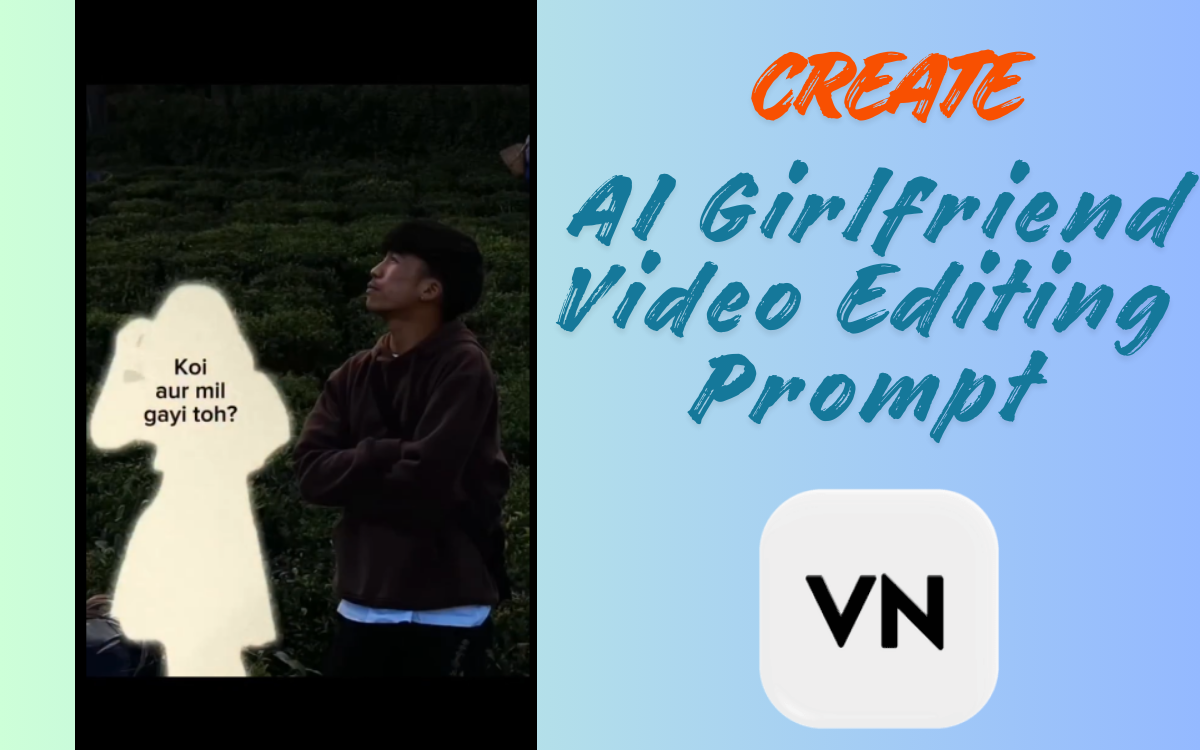
How to Create AI Girlfriend Video Editing Prompt & VN Code (Step-by-Step)
Are you looking to create a viral AI Girlfriend video without spending a single penny? Welcome back to our website! In this article, I will show you step by step how to make an AI girlfriend video easily using a prompt and VN code, so you can make your videos trendy and shareable on Instagram, Facebook, and WhatsApp.
These AI-generated girlfriend videos are currently trending on Instagram reels, and they are going viral because of their realistic cinematic effects. Follow this guide carefully, and you’ll be able to create your own high-quality AI video in just a few minutes.

What is AI Girlfriend Video Editing?
AI Girlfriend video editing allows you to transform your photo into a cinematic video using AI-generated images and a VN editor template. These videos are highly popular on social media because they:
Look realistic and emotional
Can be shared directly on Instagram, WhatsApp, or Facebook
Include special cinematic effects for a professional look
Can go viral quickly due to the unique AI-generated concept
With the combination of the AI prompt and VN code, anyone can create such videos without prior video editing experience.
FA9LA CapCut Templates – VN Code Dhurandar Movie Song Latest
How to Use AI Girlfriend Photo Prompt
Before making the video, you need a girlfriend AI image. Follow these steps:
Copy the AI prompt given below (do not change it).
Open Google Gemini or any AI image generator that supports text-to-image.
Paste the prompt and upload your photo.
Wait for a few seconds, and your AI girlfriend image will be generated.
Download the generated image to your device.
Important: Do not modify the AI prompt. Keeping it intact ensures the video output is exactly as intended.
AI Girlfriend Video Editing Prompt (100% Working)
Prompt:
Retro 35mm film still of a young man with dark hair and a bowl cut, wearing a dark brown oversized hoodie, standing with his arms crossed in a lush, dark green tea plantation at twilight. Beside him stands a delicate, ethereal silhouette of a girl made of soft, glowing white light, appearing like a faded memory. The soft glow from the silhouette subtly illuminates the side of the man’s face, creating realistic highlights and soft shadows. The background features the deep greens of the hills under a dim, moody sky with a slight mist. The photograph has a nostalgic analog aesthetic: natural film grain, soft focus, slightly muted earthy tones, and a gentle lens flare. The overall mood is melancholic, quiet, and deeply emotional.
How to Use VN Code for AI Girlfriend Video Editing
Once your AI image is ready, the next step is to create the video using the VN editor. Follow these steps:
Step 1: Install the VN Editor App
Download and install the VN video editor on your mobile device.
Step 2: Get the VN Template Code
Take a screenshot of the VN code provided in this article.
Open the VN app and go to the scanner option.
Scan the code. The template will automatically open.
Step 3: Add Your AI Girlfriend Image
Click use template.
Upload the AI image you generated from Google Gemini.
Click next, and the VN editor will automatically generate your video.
Step 4: Save Your Video
Once processing is complete, save the video in HD quality to your gallery.
Your AI Girlfriend video is now ready to be shared on Instagram, WhatsApp, or Facebook.

Trending Gemini AI Photo Prompt Copy Paste For Boy | Edittiip
Step-by-Step Guide: Making AI Girlfriend Video Easily
Copy the AI prompt from above.
Open Google Gemini or any AI generator.
Upload your photo and generate the girlfriend image.
Download the image to your phone.
Take a screenshot of the VN code from this guide.
Open VN app, scan the code, and load the template.
Add your AI girlfriend image to the template.
Click next, and the video will automatically generate.
Save the video in HD quality.
Tips for Better AI Girlfriend Videos
Use a clear and high-resolution photo for best results.
Make sure the VN app is updated to avoid template errors.
Experiment with different AI prompts for variety, but keep the original cinematic style.
Add trending music in the VN editor to make your reel more engaging.
Share your videos consistently to gain traction on social media.
Why VN Editor is Best for AI Videos
VN is a free, beginner-friendly video editor that allows:
One-click templates for quick video creation
Easy photo and video uploads
High-quality HD export
Adding music and effects without advanced editing skills
Fast rendering, perfect for social media reels
By combining the VN template with the AI-generated girlfriend image, you can create professional-looking videos without spending a single penny.
Final Words
Friends, now you know exactly how to make a trending AI Girlfriend video using a prompt and VN code. Follow the steps carefully, and you will be able to create your video quickly, easily, and in HD quality.
If you face any problems or your video doesn’t generate, feel free to comment below, and I will help you solve it 100%.
Try this AI video editing technique today and make your Instagram reels go viral!
FAQs About AI Girlfriend Video Editing
Q1: Can I use any AI image generator?
Yes, but using Google Gemini ensures the prompt works perfectly.
Q2: Can I change the AI prompt?
No, do not change the prompt, or the cinematic effect may not appear correctly.
Q3: Is VN editor free?
Yes, VN editor is completely free and available for both Android and iOS.
Q4: Can I use my video on Instagram?
Absolutely! These videos are perfect for Instagram reels, TikTok, WhatsApp, and Facebook stories.
1 thought on “How to Create AI Girlfriend Video Editing Prompt & VN Code”